

ESP matching is one of the most underrated deliverability features in modern cold email tools. Yet for high-volume outbound teams, it can be the difference between a 30% inbox placement rate and 90%+. This guide breaks down the five email sending platforms with the most robust ESP matching algorithms, how each implementation actually works under the hood, and which one fits different use cases.
What is an ESP matching algorithm? (Quick definition)

An ESP matching algorithm is a cold email tool feature that automatically routes outbound emails through mailboxes hosted on the same Email Service Provider (ESP) as the recipient. If your lead uses Gmail, the email is sent from a Gmail-hosted mailbox. If they use Microsoft 365, it is sent from an Outlook mailbox. If they use Zoho, it is sent from a Zoho mailbox.
This alignment improves inbox placement because Gmail-to-Gmail, Microsoft-to-Microsoft, and Zoho-to-Zoho traffic follows expected sending patterns that spam filters trust. Cross-ESP sending for example, sending from Outlook to a Gmail recipient produces routing patterns that modern spam filters increasingly flag as suspicious.
Quick comparison table
| Tool | ESP Matching Type | Available in Base Plan | Documented Prioritization Logic |
|---|---|---|---|
| Smartlead | Dynamic with explicit prioritization rules | Yes ($39/mo) | Yes publicly documented |
| Saleshandy | Server-level routing | Yes ($30/mo) | Partial |
| Salesforge | Dynamic auto-pairing | Growth plan ($96/mo) | No |
| Instantly | Standard recipient-sender pairing | Hypergrowth tier | No |
| SmartReach.io | Automated mechanism with Spintax pairing | Base plans | No |
How we evaluated
To rank these tools, we evaluated four factors:
- Routing logic depth Does the algorithm just match ESPs, or does it have prioritization and fallback rules for uneven mailbox-to-lead ratios?
- Documentation transparency Has the vendor publicly explained how the algorithm makes decisions?
- Base plan availability Is ESP matching gated behind a premium tier or available from entry-level plans?
- Multi-ESP support How many email service providers are supported in the matching logic?
1. Smartlead Most transparent ESP matching with documented prioritization

Smartlead has the most transparent ESP matching algorithm of any cold email platform on the market in 2026, with public help-center articles explaining the exact prioritization logic at every send trigger.
How it works
When you upload a lead list, Smartlead analyzes each lead’s email service provider. It then routes each email through a connected mailbox on the matching ESP Gmail leads receive emails from your connected Gmail accounts, Outlook leads from Outlook accounts, Zoho leads from Zoho accounts. If you do not have enough matching mailboxes, the algorithm prioritizes matched pairs first, then uses remaining mailboxes for fallback delivery.
The prioritization logic
Per Smartlead’s official documentation, here is how the algorithm allocates mailboxes at every send trigger:
- If you have 100 Gmail leads and connected mailboxes include 2 Gmail accounts + 8 Outlook accounts
- The system will allocate the 2 Gmail mailboxes to 2 Gmail leads at each interval (matched pair)
- The 8 Outlook mailboxes will be used for the remaining Gmail leads (fallback)
- If you have 50 Gmail + 50 Outlook leads, the 2 Gmail accounts handle Gmail leads, the 8 Outlook accounts handle Outlook leads, until Outlook leads finish
This explicit prioritization is unique. Most competitors describe ESP matching as a feature but do not publish the underlying allocation logic.
Stats and proof
According to Smartlead’s own marketing materials, sending from matching ESPs can increase open rates by up to 30% compared to cross-ESP sending. This is a vendor claim — not independently verified so use your own A/B test before quoting this number in client proposals.
Critical configuration warning
Smartlead explicitly warns against enabling both ESP Matching and “Isolated Lead Email Provider Sending” together. Doing so can cause campaigns to stay in an active state indefinitely because of lead mixture conflicts.
Pricing and availability
ESP matching is available from the $39/month Basic plan no premium tier required.
Best for
Agencies running large multi-ESP campaigns where prioritization logic and transparent documentation matter for client reporting.
Limitations
The UI is older than competitors. Personalization features are more basic than Lemlist or Salesforge.
2. Saleshandy Newest ESP matching with server-level routing
Saleshandy launched its ESP matching feature in December 2024, making it one of the newest implementations on the market. It has been refined throughout 2025 and 2026.
How it works
Saleshandy routes emails at the server level rather than just the mailbox level:
- Emails to Gmail addresses are routed through Gmail servers
- Emails to Microsoft 365 addresses are routed through Microsoft servers
- The system pairs ESP matching with daily sending limits management to optimize for both deliverability and provider compliance
The integrated deliverability stack
Where Saleshandy differs from Smartlead is integration. ESP matching is one component of a larger deliverability suite that includes:
- AI bounce detection
- Sequence scoring (your email gets scored before sending)
- Spam word detection
- Inbox rotation
- Unlimited email warm-up
All of these are available from the base plan, not gated behind premium tiers.
Stats and proof
A third-party reviewer test published on leadsmonky.com ran a 5,000-email campaign on Saleshandy and reportedly measured 96% inbox placement. This is a single test by an external reviewer — not Saleshandy’s own claim — and your results will vary based on domain warm-up, content, and audience quality.
Pricing
Starting at $30/month. ESP matching is included from the base tier, along with unlimited email accounts (most competitors charge $5–10 per additional account).
Best for
Teams sending 50K+ emails monthly who want ESP matching without paying for a premium tier. Agencies managing multiple clients benefit from unlimited accounts at this price point.
Limitations
The interface is functional but visually dated. Multi-channel features are less mature than Salesforge.
3. Salesforge Dynamic ESP matching for multi-channel teams
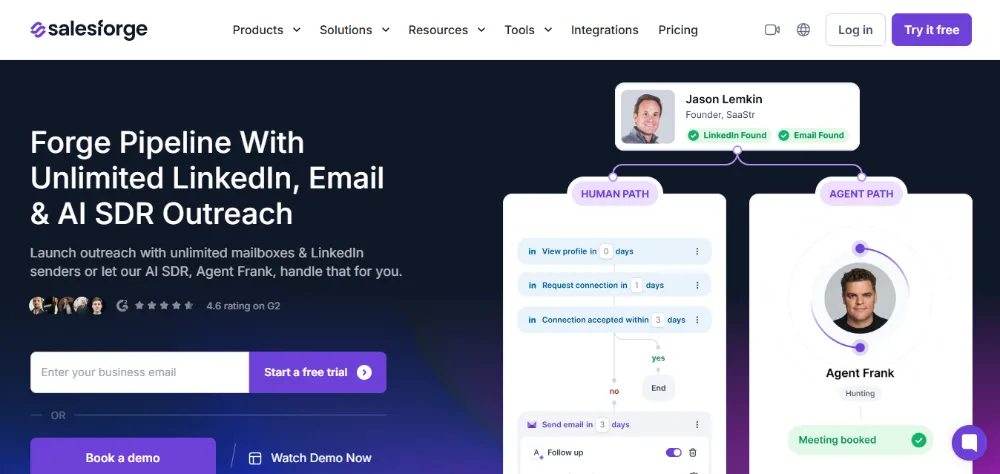
Salesforge takes a multi-channel approach where ESP matching operates alongside LinkedIn outreach in the same sequence meaning your provider routing logic extends across communication channels, not just email.
How it works
The system dynamically pairs each campaign with the most suitable email service provider based on recipient analysis. ESP matching is bundled into what Salesforge calls a “deliverability network” approach.
The deliverability bundle
ESP matching at Salesforge comes alongside:
- Unlimited email warm-up
- Mailbox rotation
- Dynamic IP addresses
- Placement and spam tests
- Built-in email verification
- A centralized master inbox (Primebox)
- Optional AI SDR (Agent Frank)
Stats and proof
Salesforge does not publish specific numerical claims about ESP matching impact. Independent comparisons consistently rank Salesforge’s overall deliverability stack favorably against Instantly, though direct ESP-matching benchmarks are not publicly available.
Pricing
ESP matching is available in the $96/month Growth plan along with multi-language sequences, A/B testing, and unlimited seats.
Best for
Sales teams running multi-channel campaigns (email + LinkedIn) who want ESP matching as part of an integrated deliverability-first platform.
Limitations
Higher entry price point than Smartlead or Saleshandy. ESP matching specifically is not as documented as Smartlead’s implementation.
4. Instantly Standard ESP matching in a broader deliverability toolkit
Instantly’s ESP matching is part of its broader deliverability toolkit, which also includes IP rotation and inbox placement tests. It is functional but less differentiated than the top three options.
How it works
Standard recipient-to-sender ESP pairing. The algorithm matches the recipient’s ESP to a connected mailbox on the same ESP, but does not publish prioritization rules for mailbox allocation under uneven distributions.
What third-party reviewers note
Independent comparison articles from 2026 describe Instantly’s ESP matching as “fairly run-of-the-mill” compared to Smartlead and Salesforge. Some reviewers also note that Instantly carries a recognizable email fingerprint at the server level that can affect deliverability regardless of ESP matching.
Pricing
ESP matching is available in the Hypergrowth tier (pricing varies by plan).
Best for
Email-only senders who already use Instantly’s lead database and CRM features and want ESP matching as one component of their deliverability stack.
Limitations
ESP matching is gated behind higher-tier plans. Less granular control compared to Smartlead.
5. SmartReach.io Automated ESP matching with Spintax pairing
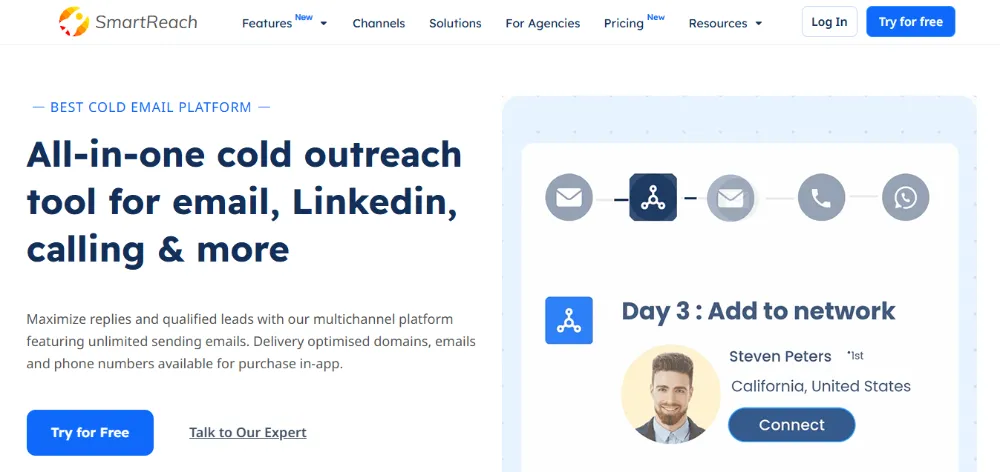
SmartReach.io includes automated ESP matching alongside multi-channel outreach across email, LinkedIn, WhatsApp, calls, and SMS — a wider channel footprint than most competitors.
How it works
The platform pairs ESP matching with Spintax-generated email variations to add randomization on top of provider matching. This combination is intended to reduce footprint detection (where spam filters identify identical email patterns across recipients).
The deliverability stack
ESP matching at SmartReach.io is integrated with:
- Unlimited real-time email validation
- Global blacklist monitoring with auto-pause if your domain is flagged
- Free email authentication checks (SPF, DKIM, DMARC)
- Spintax for content randomization
Stats and proof
SmartReach.io does not publish specific numerical claims about ESP matching uplift. Marketing materials describe a “boost in inbox placement” without quantification.
Pricing
Available from base plans exact tier inclusion varies, so check current pricing.
Best for
Teams needing ESP matching alongside multi-channel outreach (email + LinkedIn + WhatsApp + calls) in a single platform.
Limitations
Less brand recognition than Smartlead, Instantly, or Saleshandy. Documentation on ESP matching internals is sparse.
How to actually test which ESP matching algorithm is best for you
Vendor claims about deliverability improvement should never be taken at face value — including the claims in this article. The only way to know which ESP matching algorithm works best for your specific use case is to run your own test.
Here is a four-step testing methodology:
- Run a parallel A/B test Send identical campaigns through two tools simultaneously. Use the same domain warm-up duration, identical email content, and split your audience randomly.
- Measure inbox placement, not just opens Open rate is a downstream signal affected by subject line, send time, and audience. Use a deliverability testing tool like GlockApps or MailToaster to measure actual inbox vs spam vs promotions placement.
- Track over 14 days minimum ESP behavior changes over time as sender reputation accumulates. A single-day snapshot is misleading.
- Segment results by recipient ESP Break down inbox placement by Gmail vs Outlook vs Zoho recipients. Some algorithms excel at one ESP while underperforming at another.
Frequently asked questions
What is ESP matching in cold email tools?
ESP matching is an automated feature in cold email platforms that routes outbound emails through mailboxes hosted on the same email service provider as the recipient Gmail-to-Gmail, Outlook-to-Outlook, Zoho-to-Zoho. The goal is to improve inbox placement by aligning routing patterns with what spam filters expect.
Does ESP matching guarantee inbox placement?
No. ESP matching is one of several deliverability factors. Domain warm-up, sender reputation, content quality, recipient engagement signals, list hygiene, and authentication setup (SPF, DKIM, DMARC) all play equal or greater roles in inbox placement.
Can I use ESP matching with a single mailbox?
ESP matching has limited effectiveness with a single mailbox. The feature requires multiple connected mailboxes across different providers for example, 2 Gmail accounts plus 3 Outlook accounts so the algorithm has options to route from when the recipient ESP varies.
Which is the best free ESP matching tool?
No major cold email tool offers ESP matching on a free plan in 2026. All require paid tiers. Saleshandy ($30/month) and Smartlead ($39/month) include ESP matching from their lowest paid tier, making them the most affordable options.
Does ESP matching work for warm-up?
ESP matching is primarily a sending feature, not a warm-up feature. However, tools like Saleshandy and Smartlead integrate ESP-aware warm-up where mailbox warm-up traffic also follows ESP-matched patterns.
How is ESP matching different from inbox rotation?
Inbox rotation distributes sending volume across multiple mailboxes to avoid overloading any single sender. ESP matching routes based on the recipient’s provider. The two features work together inbox rotation decides which mailbox to use for volume reasons, ESP matching constrains that decision to provider-matched mailboxes.
Can I disable ESP matching for specific campaigns?
In most tools, yes. Smartlead, Saleshandy, and Salesforge all allow ESP matching to be toggled at the campaign level. This is useful when you want to deliberately test cross-ESP sending performance.
Final verdict
For most cold email teams in 2026:
- Smartlead offers the most transparent ESP matching with publicly documented prioritization logic, making it the strongest pick for agencies that need to explain deliverability decisions to clients.
- Saleshandy is the best value option, with ESP matching included from the $30/month base plan alongside unlimited email accounts.
- Salesforge wins for teams running multi-channel campaigns (email + LinkedIn) that want ESP matching as part of a broader deliverability stack.
- Instantly and SmartReach.io offer functional but less differentiated ESP matching implementations.
The real winner depends on your specific campaign mix, lead source ESP distribution, agency vs in-house setup, and whether you value transparent prioritization logic or simple matching that just works in the background.
Run your own A/B test before committing to any platform based on ESP matching alone vendor claims vary, and your specific use case may produce different results than what is published.
Ali Haider
Ali Haider is a Link Building Manager with 7 years of experience in SEO, digital outreach, and authority-building strategies. He specializes in developing effective link acquisition campaigns, managing outreach processes, and helping websites improve their online visibility through sustainable SEO practices.